Monday, April 8, 2019

april 8 review

Photo 1


Photo 1 study guide


From:


Before you can edit some layers, you must go to Layer>Rasterize>All Layers
Which tool to use for cutting out a part of a photo
If you want to cut out the part of a photo around the selection, you should go to Select>Inverse
When you still see the “marching ants”, which means a selection is still active, you should go to
Select>Deselect


The preferred way to eject an SD card from a Mac is to click and hold on the SD card icon on your
desktop, hold, and drag the SD icon to the trash icon at the bottom right of the screen.
When the SD icon disappears, remove it from the computer.


From


6. After opening the photo in Photoshop, add a copy of the background layer. Com + J.
Be sure your color picker colors are black and white
Click on the adjustments layer icon and select Gradient Map
7. Your document should be grayscale (or black and white)
8. On the new Gradient Map layer, go to brushes and pick a soft brush. Its hardness should be 0
9. Take the flow down to about 10%-50%.
10. Make the brush colors black and white.
11. Use the black brush and paint over the white mask. You will begin to see color from
layer 1 appearing. Continue until get what you want.
If you have too much color showing through, switch to white and paint on the layer mask


From:


How do you make a layer mask? What icon do you click on?
It is advised to take the brush flow down to around 15

Photoshop: general information
In the Photoshop Options Bar (top of screen) go to Window
Check the following (unless already has checkmark) :
Workspace>Essentials
Layers
Application Frame
Options
Tools


From:
Identify camera parts
Know the answers to the 10 questions under “Watch Together” and “watch on your own and
answer questions 6-10.”


From:


1. List 7 ways you can change your point of view


2. What is a macro lens and what does it do differently from a normal lens?


3. When you "shoot tight", you __________________________ __________ ____________________ with the subject.


4. At  item 6. "Take Your Time", click on light painting. Light painting is an imaging technique
that uses a ____________ ____________ ___________ to add light to an
under-illuminated subject while taking a _____________________exposure photograph.


5. From Summary, list 5 questions to ask yourself before you take a photo.

Saturday, March 30, 2019

closeup photos

Standards
1.3 Create visual art that communicates ideas
 through the use of media, techniques, and processes.

What I want you to know or do:

Today:
1. Take one closeup photo and get it on your computer
2. Open your photo in Photoshop
3. Save photo as black and white image
4. Save your photo in a documents folder


go here: http://hillwoodphoto2.blogspot.com/2016/10/loading-photos-from-sd-card.html


Take a closeup photo with a camera or your 
phone. Get ideas online? See "Directions" below.

Show me your photo today....for your grade.
Use camera, cell phone or computer.


• Computers, cell phones, and electronic devices are to be used for classwork and school work only.

No torn or ripped jeans

Nothing on your head (except hair)


Learning Objectives:

•Take 5 closeup photos of 5 different subjects
•Apply the rule of thirds and different viewpoints when taking the photos.
•Digitize the photos in Photoshop


Closeup photo examples


Your grade:


4_advanced_93-100 points. A strong amount of work has been completed. All instructions & specifications met. A comprehensive and wide-ranging exploration of visual qualities, the representation of ideas, media experiments, and technical practice is demonstrated. The work reflects superior thought and imagination.

3_proficient_85-92 points. A reasonable amount of work has been completed. Most instructions and specifications met. The work illustrates satisfactory exploration of visual qualities, and the representation of ideas. There is satisfactory evidence of work on images, media experiments, and technical practice.

2_basic_75-84 points. A small amount of work has been completed. Some instructions and specifications met. The work illustrates some exploration of visual qualities, the representation of ideas. There is some evidence of work on images, media experiments and technical practice.

1_below basic_74 and below. A less than adequate amount of work has been completed. There is little evidence of work on images, media, and technical practice.

0_No work attempted


Friday, March 15, 2019

cheekwood poster design

Daily procedures

1. When I am giving instructions, be in a seat

2. When I am giving instructions, electronic devices should be invisible

3. Do not interfere with instructions or disrupt class
4. Remove hoodies or other headwear from your head. 
5. Do not leave the classroom
without permission. 


• Computers, cell phones, and electronic devices are to be used for classwork and school work only.

No torn or ripped jeans

Nothing on your head (except hair)


Standards:

PRODUCE
RESPOND
CONNECT

Create

1. Generate and conceptualize artistic ideas and work.
2. Organize and develop artistic ideas and work.
3. Refine and complete artistic work.

Produce
2. Develop and refine artistic work for production.

Connect
1. Synthesize and relate knowledge and personal experiences to artistic endeavors.
2. Relate artistic ideas and works with societal, cultural, and historical context.


Learning Objectives:
•Create a design that grabs a viewers attention 
•Create a that communicates information simply
•Use Photoshop tools correctly


Today:

1. Look at poster designs online. Sketch 3 designs that you like. Simple sketches.
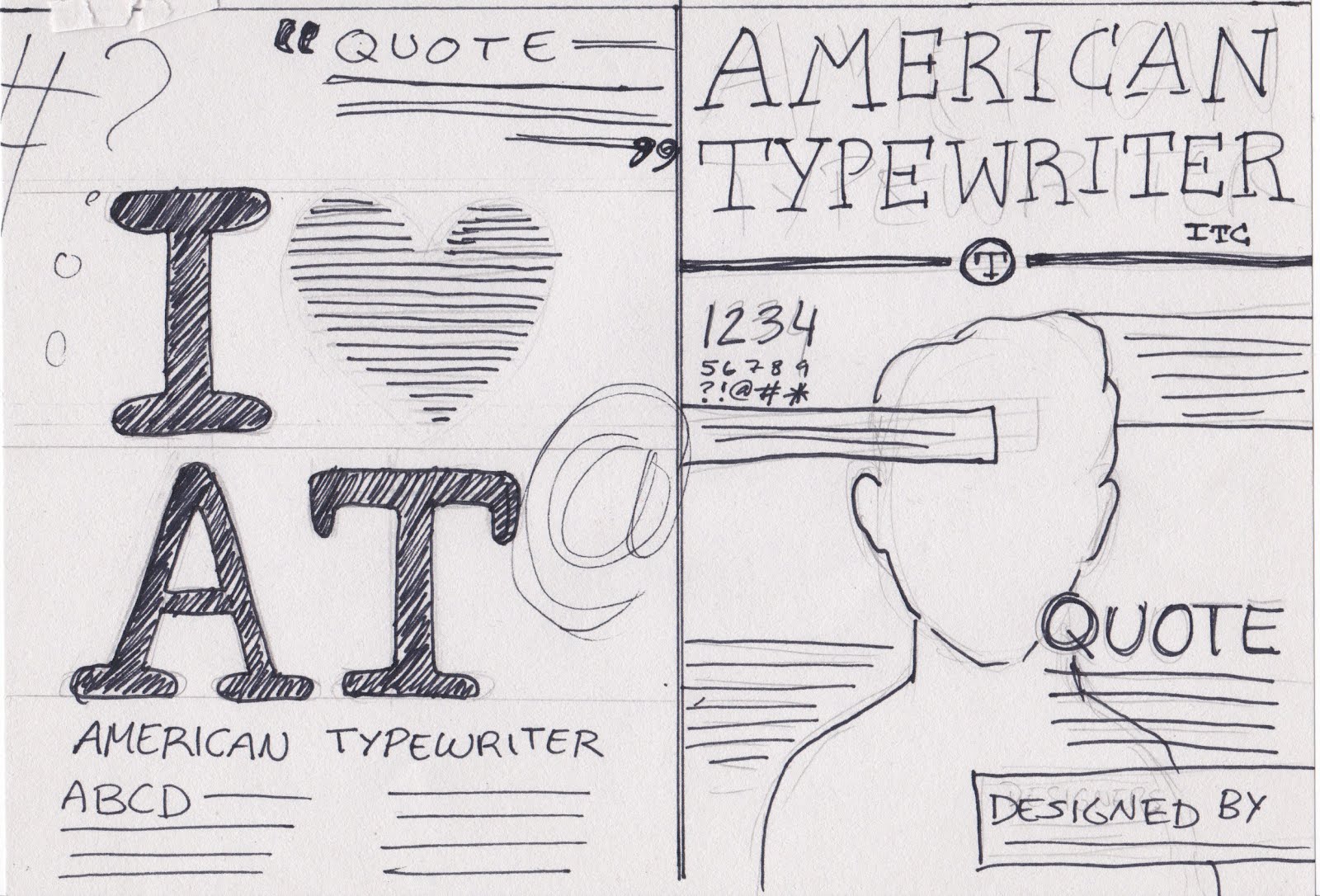
What a rough sketch might look like
http://hillwoodphoto1.blogspot.com/2019/03/what-rough-sketch-looks-like.html


Next class:
1. Watch and do. Poster design layout

or........ also for layout help
http://stevecampbellhillwood.blogspot.com/2015/12/grid-design.html


then:

1. Cheekwood poster design
Design a poster that tells about Hillwood's student art show.
The design should contain at least 1 image.
This information must be included on the poster:

Dates of Exhibit: Thursday and Friday, April 11-12
Location: The Potter Room at Cheekwood
Show title: Sincerely, Us: Works Created and Curated by Hillwood High School Students


Opening Event: Thursday, April 11th from 4-6 PM

Steps:

Download the photo
https://drive.google.com/file/d/1Z3pVGeHs1gMItTAq2p0YVqfV4GUQ-fG8/view?usp=sharing

In the Photoshop Options Bar (top of screen) go to Window
Check the following (unless already has checkmark) :
Workspace>Essentials
Layers
Application Frame
Options
Tools


Create a Photoshop document

Name: Cheekwood poster
Width: 12 inches
Height: 18 inches 
Resolution: 300
Color mode: RGB


what a rough sketch looks like